
O FileBackup1.0.1369.199 - Download
You'll be able to download in few seconds.
Publisher Description
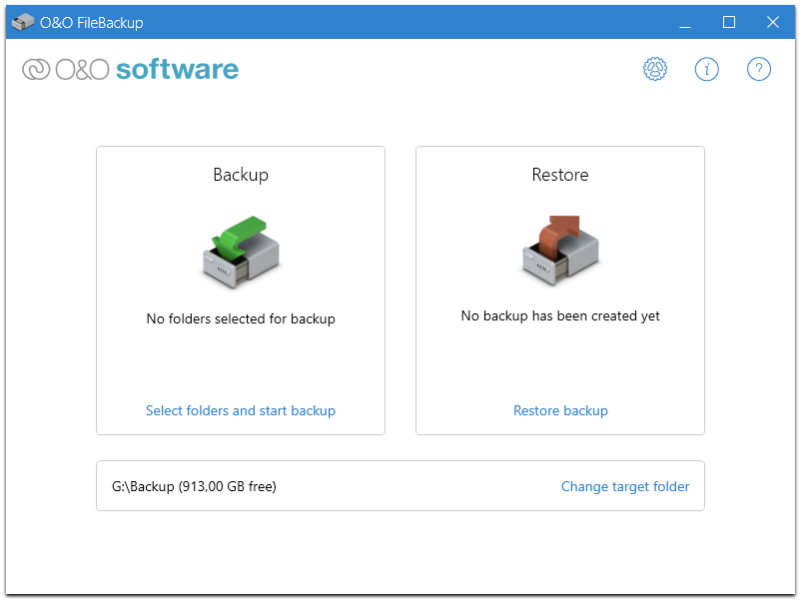
O FileBackup enables you to backup your data quickly and easily. Choose the directories you want to back up yourself. Or let O FileBackup automatically search for important data. It also gives you the option of backing up just photos, videos, music, and Office documents, so you have a copy of your digital treasures because no hard drive and no SSD lasts forever!
Using O FileBackup is extremely easy: you are guided step by step through the backup process. And the integrated assistant also helps you with the restoration of your backups.
O FileBackup can automatically detect important files and suggest them for backup. Select photos, videos, music and office documents and all the files with the corresponding file extensions are searched for and saved. If you want, you can even customize it yourself and include more files in this backup.
Would you prefer to select directories or entire partitions yourself? No problem. And so that only the really important files are backed up, system and program files are automatically excluded. This saves time and storage space!
To avoid searching for new or changed files, O FileBackup can automatically detect these files for you and propose them for backup. This is especially helpful when importing photos and videos as it immediately creates another copy of this valuable data.
Restoring the backup files is as easy as backing them up: just use the built-in restore feature in O FileBackup to select the files you want to restore and restore them to the target directory.
Incidentally, you can also restore the data without O FileBackup because the data is stored faithfully on the backup medium and can be easily read and copied again direct from there.
About O FileBackup
This Backup & Restore program is available in English, French, German. It was last updated on 29 September, 2026. O FileBackup is compatible with the following operating systems: Windows.
The company that develops O FileBackup is O Software GmbH. The latest version released by its developer is 1.0.1369.199.
The download we have available for O FileBackup has a file size of 4.2 MB. Just click the green Download button above to start the downloading process. The program is listed on our website since 2020-01-21 and was downloaded 0 times. We have already checked if the download link is safe, however for your own protection we recommend that you scan the downloaded software with your antivirus. Your antivirus may detect the O FileBackup as malware if the download link is broken.
How to install O FileBackup on your Windows device:
- Click on the Download button on our website. This will start the download from the website of the developer.
- Once the O FileBackup is downloaded click on it to start the setup process (assuming you are on a desktop computer).
- When the installation is finished you should be able to see and run the program.
Program Details
System requirements
Download information
Pricing
Version History
version 1.0.1369
posted on 2020-01-21
When restoring, all previous files from a backup are now taken into account and can be selected
Multiple backups can be deleted at once
Config file is saved in the local application data
Config file in the start directory has priority
Fixed error when outputting the number of bytes in the log
version 1.0.1369.199
posted on 2020-01-21
Fixed error when outputting the number of bytes in the log.
Various texts revised and corrected.
Multiple backups can be deleted at once.
All previous files from a backup can now be selected during restoration.
Available in German, English and French.
Disclaimer
External Download
We do not host O FileBackup on our servers. We did not scan it for viruses, adware, spyware or other type of malware. This app is hosted by the software publisher and passed their terms and conditions to be listed there. We recommend caution when installing it.
The external download link for O FileBackup is provided to you by apps112.com without any warranties, representations or guarantees of any kind, so access it at your own risk.
If you have questions regarding this particular app contact the publisher directly. For questions about the functionalities of apps112.com contact us.
